Quick Start
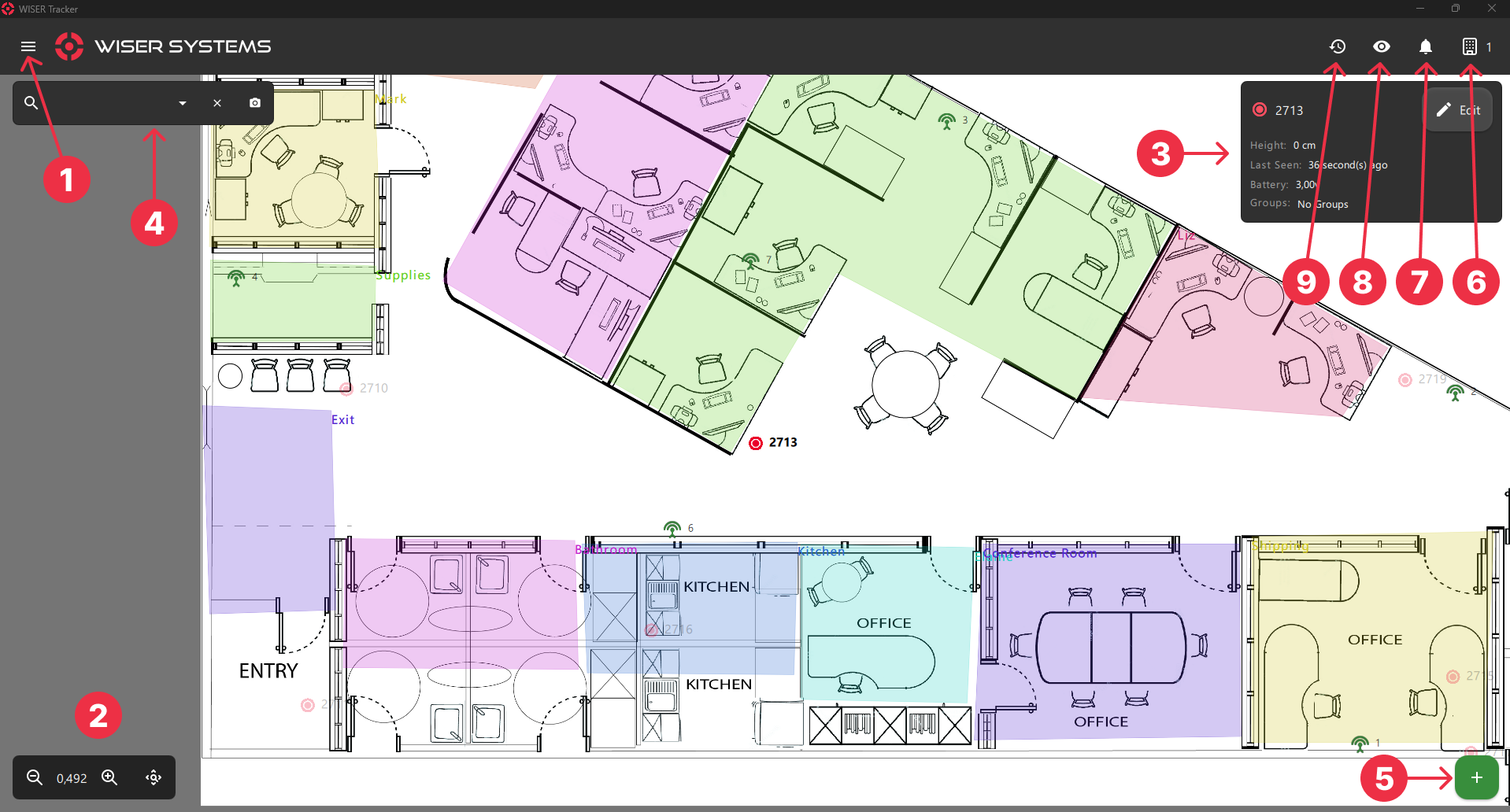
The WISER Tracker App is a viewing and management app for the WISER Real Time Location & Tracking system. It provides real-time remote viewing and administration of one or more WISER Arenas.
Our software offers a convenient solution for handling multiple buildings, areas outside/around buildings, and even between buildings, allowing you to set up distinct meshes, referred to as 'Arenas,' for each building.
System Requirements
WISER Tracker operates the same and contains all features on all platforms.
- Windows 10 version 1809 or later
- 8 GB Ram or more
- Network Connection
- Minimum Android 7.0; support prioritized for later versions
- ARMv8 and newer
- 4 GB Ram or more
- Network Connection
- iOS 14.0 and later
- 4 GB Ram or more
- Network Connection
Info
INFO
An installation of WISER Tracker Server software is required. WISER Systems provides a public test server for demonstration purposes. If your server is not yet configured, this will let you familiarize yourself with the app's functionality in a live setting.
Download & Install
Available at Google Play

Available at App Store

Contact WISER support for a Windows .exe installer download link.
Info
Some Windows PCs may lack Microsoft's common VC++ redistributable. If you receive any variation of the following error message regarding VCRUNTIME.dll, the redistributable should be downloaded and installed from Microsoft.
https://aka.ms/vc14/vc_redist.x64.exe

Mass Installation
Besides an ".exe", we offer a ".msix" installer to assist remote deployment. The Tracker App also has aCommand Line Interface (CLI) to help mass replicate station installs.
For Mass Install, set up one station first and configure how you would like to replicate it.
After you are done, copy the settings file and send it to all desired stations.
Info
INFO
The settings file can be found at "C:\ProgramData\WISER Systems "
If you have saved sessions with Authentication, you need to perform an extra step at the new stations.
Run the following CLI in the Tracker App folder
or
Info
NOTE
Required Fields:
- ip / host
- user / username
- password
Connecting to an Arena
When you open the Tracker App for the first time, the Add Arena Screen will appear

Info
INFO
By Default, the Demonstration Arena Settings will already be populated with the demonstration server address (trackmystuff.net). This server is provided by Wiser Systems and All non-administrative features are available.
If your arena is not yet configured. This will let you familiarize yourself with the app's functionality in a live setting.
Once Connected, you will be redirected to the Home Screen.